
Windows companion for ARAM: Mayhem
Make the next build obvious.
Mayhempedia turns a rolled champion into a clear route: core augments, item order, and the reason the build works.
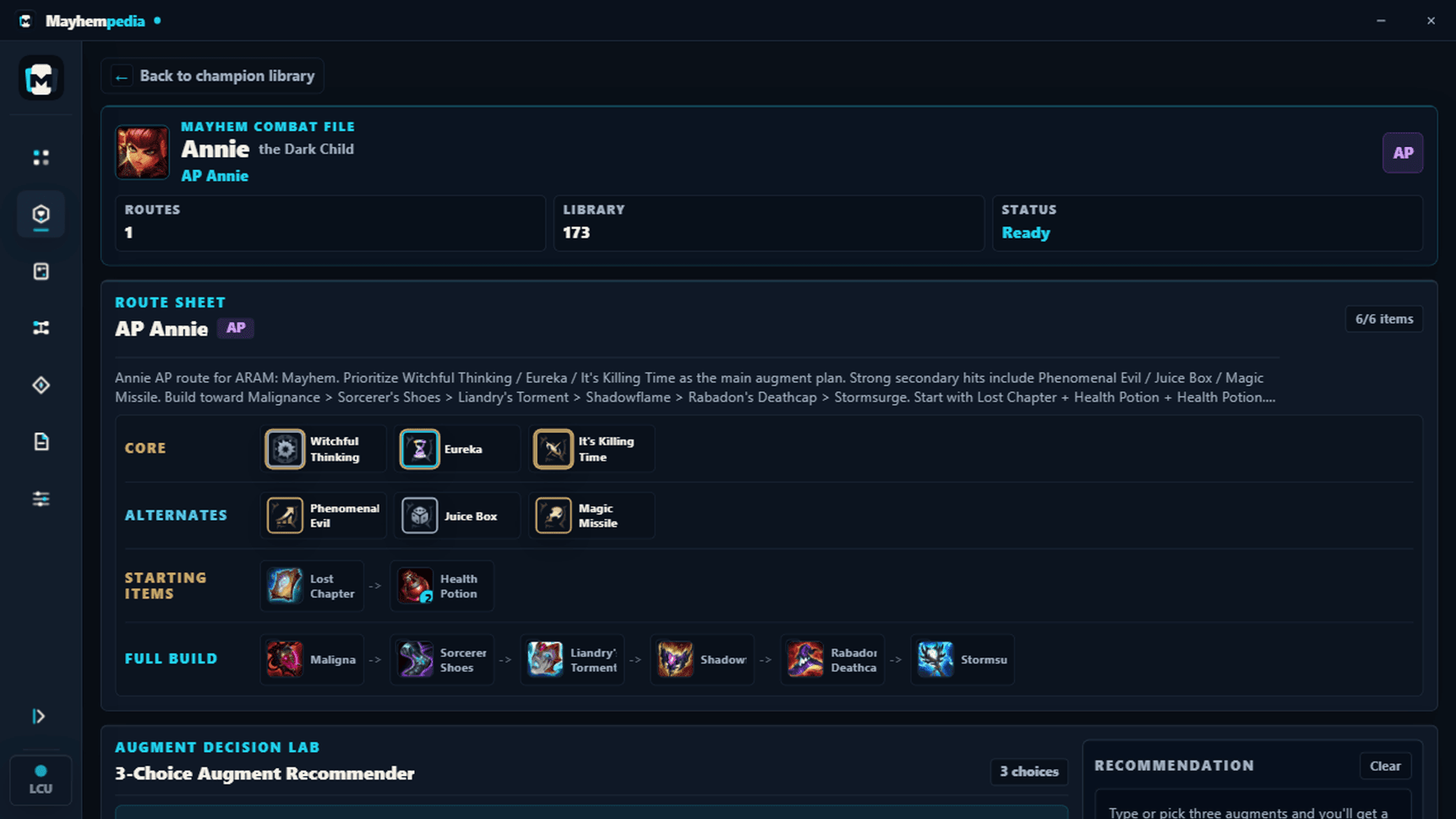
Built for the few seconds between reroll and lock-in.
The route loop
Less browsing. More priority.
Every screen is shaped around the next decision you need to make in the lobby.
-
01
Start from the champion
Find the rolled champion without starting from an empty search bar.
-
02
Read the route
See core and fallback augments, starter items, and the final six in order.
-
03
Keep what worked
Review a finished lobby and save a strange build worth trying again.
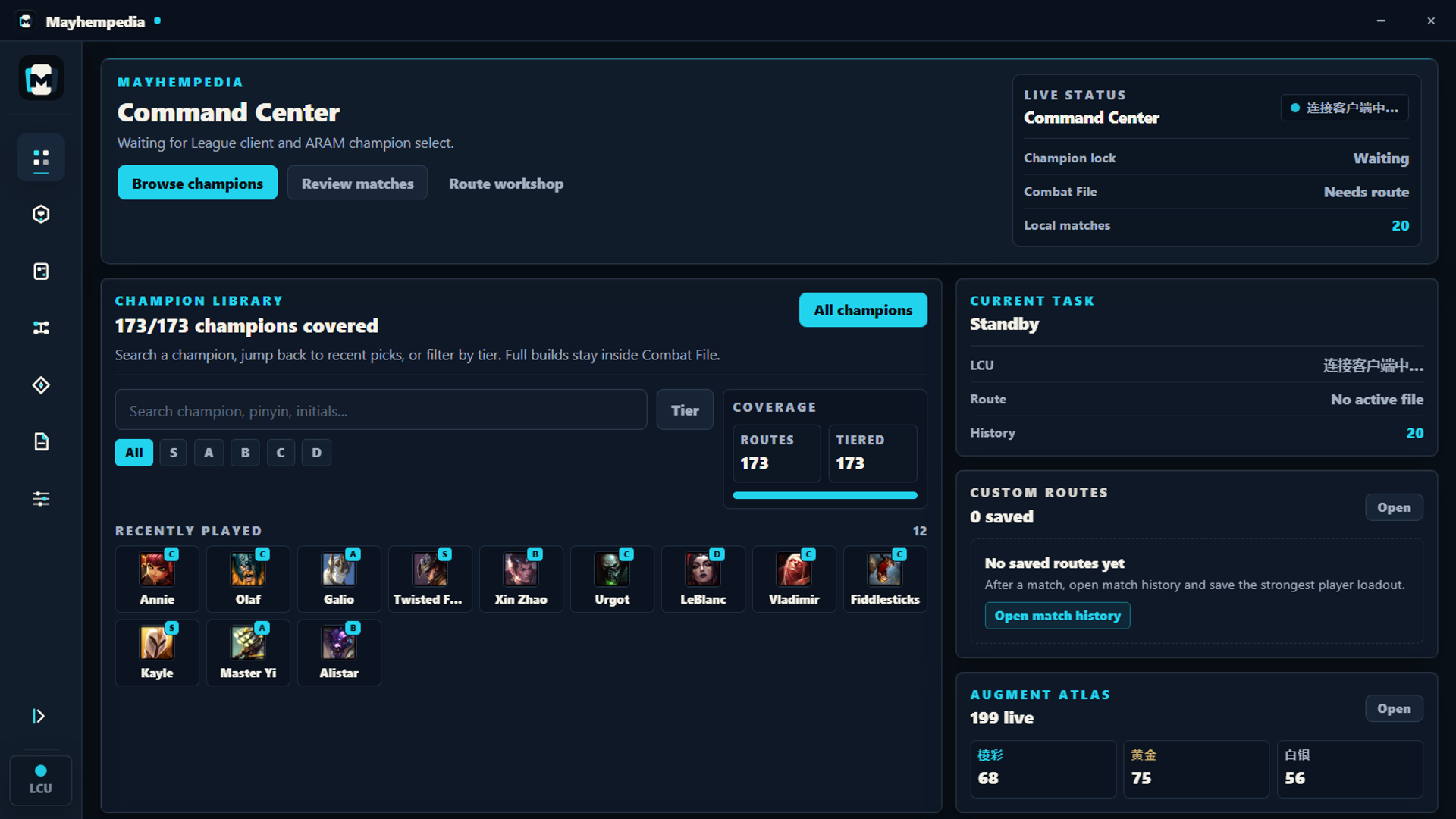
Inside the app
A useful answer before the match is over.
Mayhempedia stays close to the decision that matters. Open a champion, scan the route, and get back to the game without sorting through generic recommendations.
- Champion Codex Search the full roster and enter a practical route.
- Combat File Keep augments, items, and reasoning in one view.
- Match capture Review the lobby and save the build that carried.
Made to stay out of the way
Useful information. No account drama.
Local-first Settings, custom routes, and optional match history stay on your computer.
Display-only overlay No game memory access, gameplay automation, clicks, purchases, or champion actions.
Open source Read the code, report a problem, or join the beta conversation on Discord.
Windows x64 / 0.1.2 public beta
Try the route. Shape the beta.
Version 0.1.2 is available for community testing. Download only from this page or the matching GitHub Release.
Download 0.1.2 for WindowsGitHub ReleaseRelease notesPrivacy and play safetyJoin Discord
Unsigned preview: Windows may show an “Unknown publisher” warning because Mayhempedia is still awaiting code-signing approval. Verify the installer through the GitHub Release and SHA-256 checksum before running it.SHA-256: E6493ADC2A252C17723AF69220B7D3287193BEA732170CC0CCF968712AD6DE27
- 01Download 0.1.2Use the official GitHub-backed Windows installer
- 02Verify before runningConfirm the release version and SHA-256 checksum
- 03Share what brokeSend beta feedback through Discord or GitHub